Skip to content

Showcase

Made in Buhayin.

Finished pieces and how they were built, from the rig to the export. Work from animators is added here as it is made.

Cut out rig and lip sync

Fennel

Made for this site

A fox in a short lip sync loop. The head, brows, ears and kerchief move on pegs, the lids swap drawings for each blink, and the mouth swaps between nine drawings in lip sync to a sound. The clip here is silent.

Length
72 frames, 3 seconds
Frame rate
24 fps
Rig
Pegs for the body, head, face, brows, pupils, ears and kerchief
Mouth
9 drawings, swapped by substitution
Eyes
Lids swap open, half and shut
Sound
One sound row the mouth is timed to

Breakdown

How it was built

One editor view at a time.

Step 1

The rig, on the Timeline

Each part of the fox hangs on a peg of its own: body, head, face, brows, pupils, ears and kerchief, keyed along the 72 frames. The lids, nose, mouth and blush are drawings under the face, and the sound has a row at the bottom.
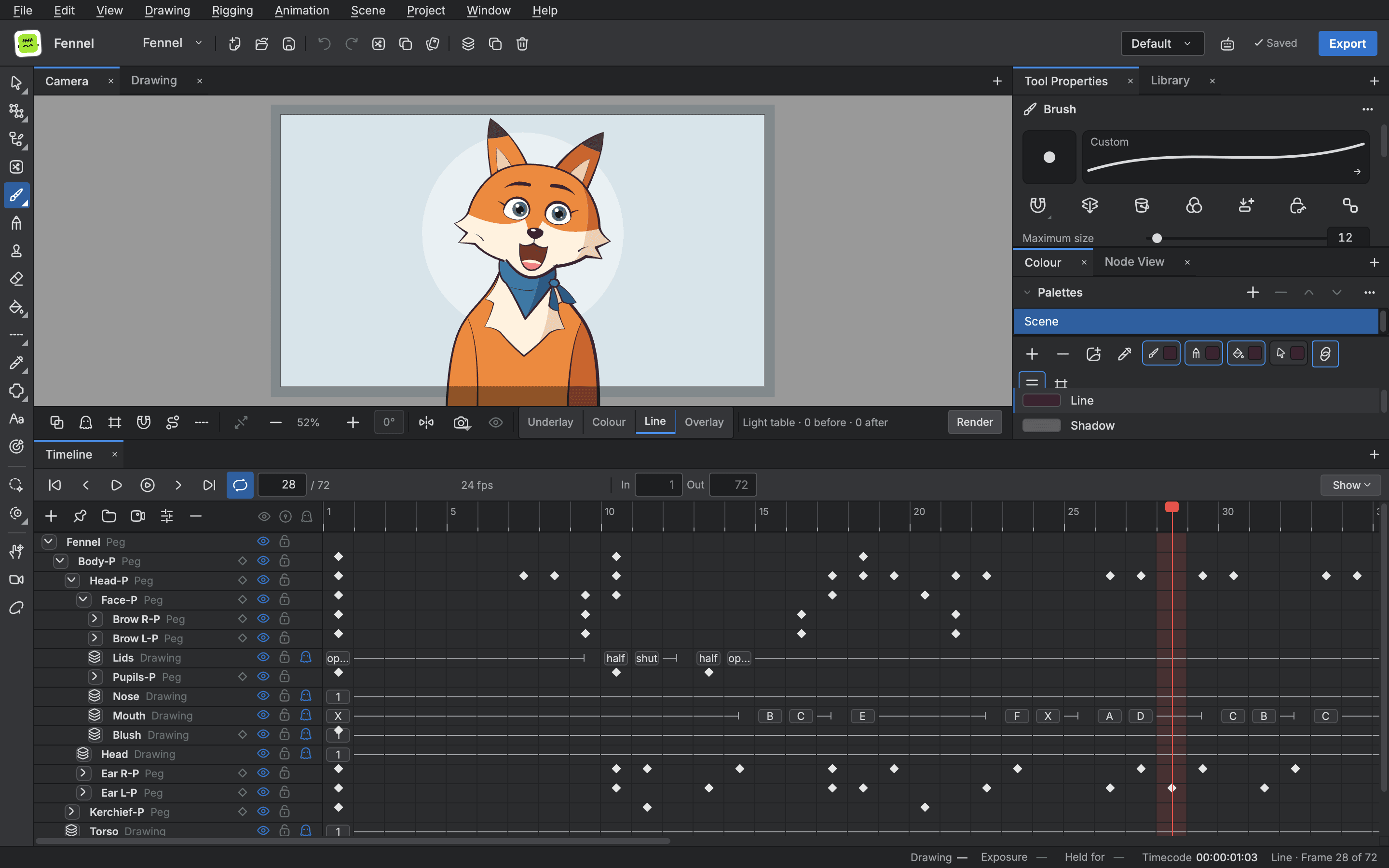
The editor with the fox on the stage and its rig on the Timeline: a peg for every part, keys along the frames, the mouth drawings and the sound row

Step 2

The mouths, as substitutions

The mouth is one drawing layer with nine drawings: A to G, smile and X. Drawing Substitutions shows them side by side, and each cell takes the one its frame needs.

Drawing substitutions for the fox's mouth: drawings A to G, smile and X, ready to swap into a cell

Step 3

The lip sync, over the sound

The mouth row sits above the sound row. Each swap lines up with the letter marked on the waveform under it, so the mouth follows the sound frame by frame.
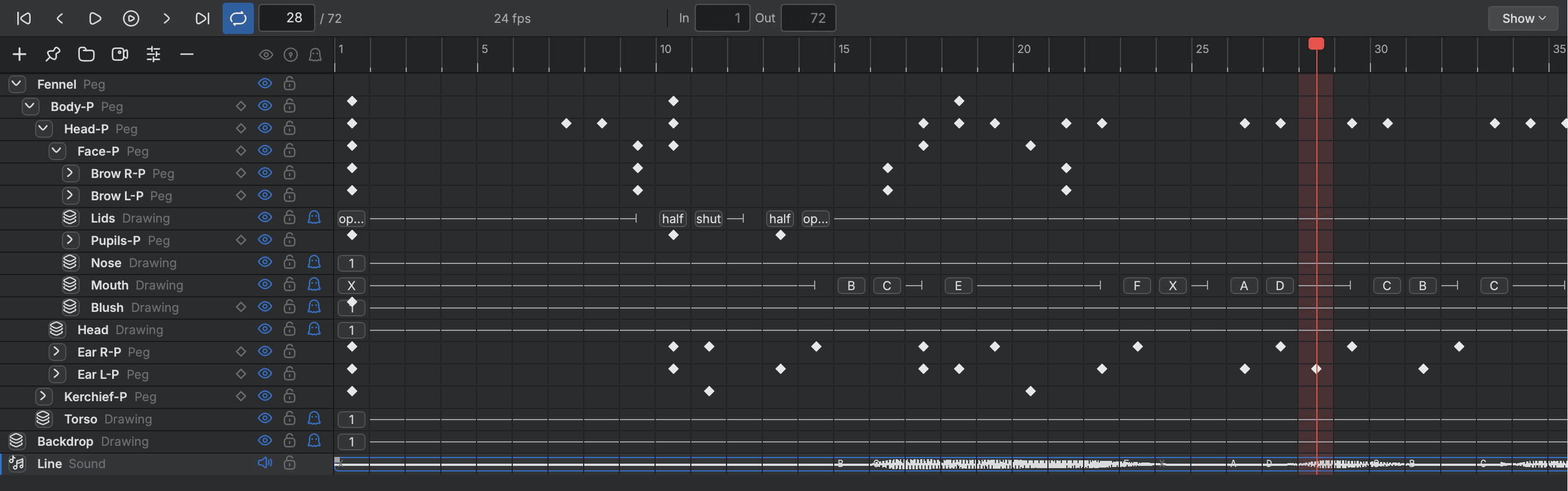
The Timeline with the fox's mouth drawings swapped along the frames, above the waveform of the sound they are timed to

Step 4

The timing, in the Xsheet

The Xsheet shows the same timing as columns: the mouth's drawing on every frame beside the column of the sound, and the lids going half, shut and open for a blink.
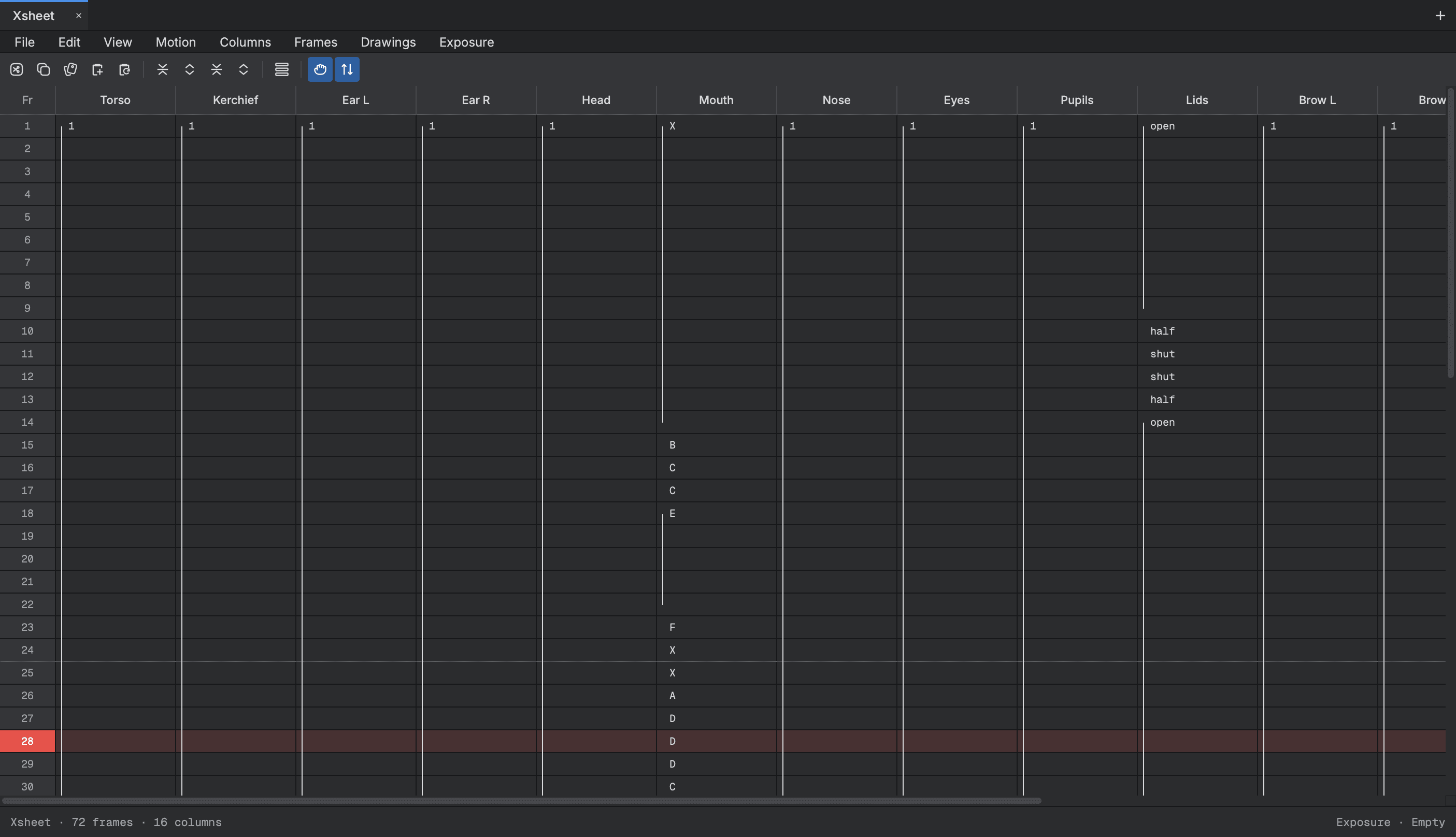
The Xsheet with a column for each part of the fox: the mouth column swaps drawings from X to D down the frames, and the eyelids open and shut

Frame by frame

Flick

Made for this site

A small flame drawn frame by frame. Twelve drawings on twos make a one second hop that lands flat with a squash, and a rough storyboard of four shots plans the scene around it.

Cycle
24 frames, 1 second
Frame rate
24 fps
Drawings
12, each held for two frames
Layers
The flame, its shadow and the background
Storyboard
4 shots, 6 panels
Drawn with
The Brush, by hand

Breakdown

How it was built

One editor view at a time.

Step 1

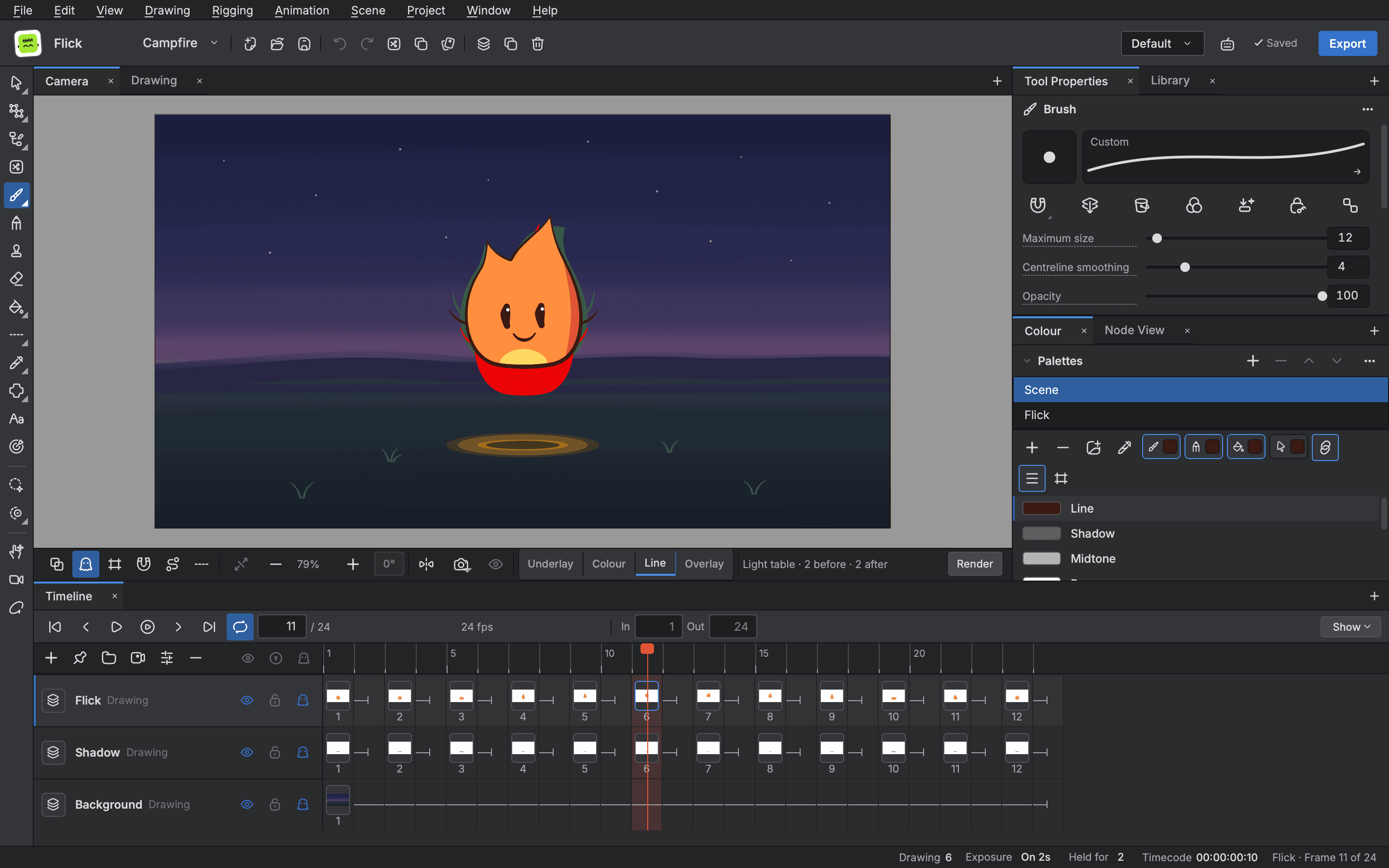
Drawn with the Brush

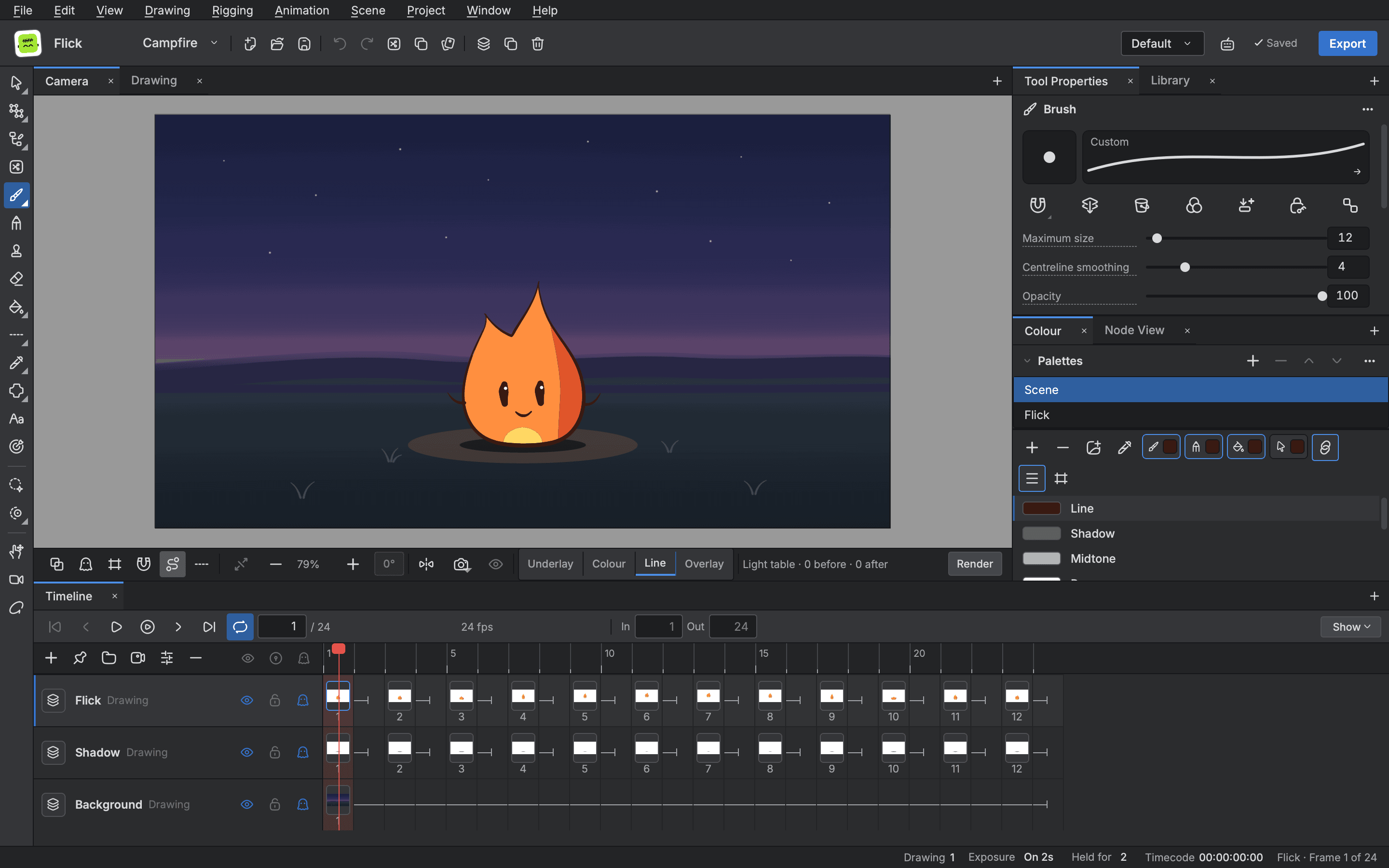
Each of the twelve drawings is drawn by hand with the Brush, its size and smoothing set in Tool Properties, and coloured from the scene's palette.

A flame on a night stage, drawn with the Brush, with the Brush settings at the right and its drawings on twos on the Timeline

Step 2

Onion skin

With onion skin on, the two drawings before and the two after show round the current one, so each pose follows from the last.

Onion skin on the stage: the two drawings before and the two after, outlined in red and green round the flame's current drawing

Step 3

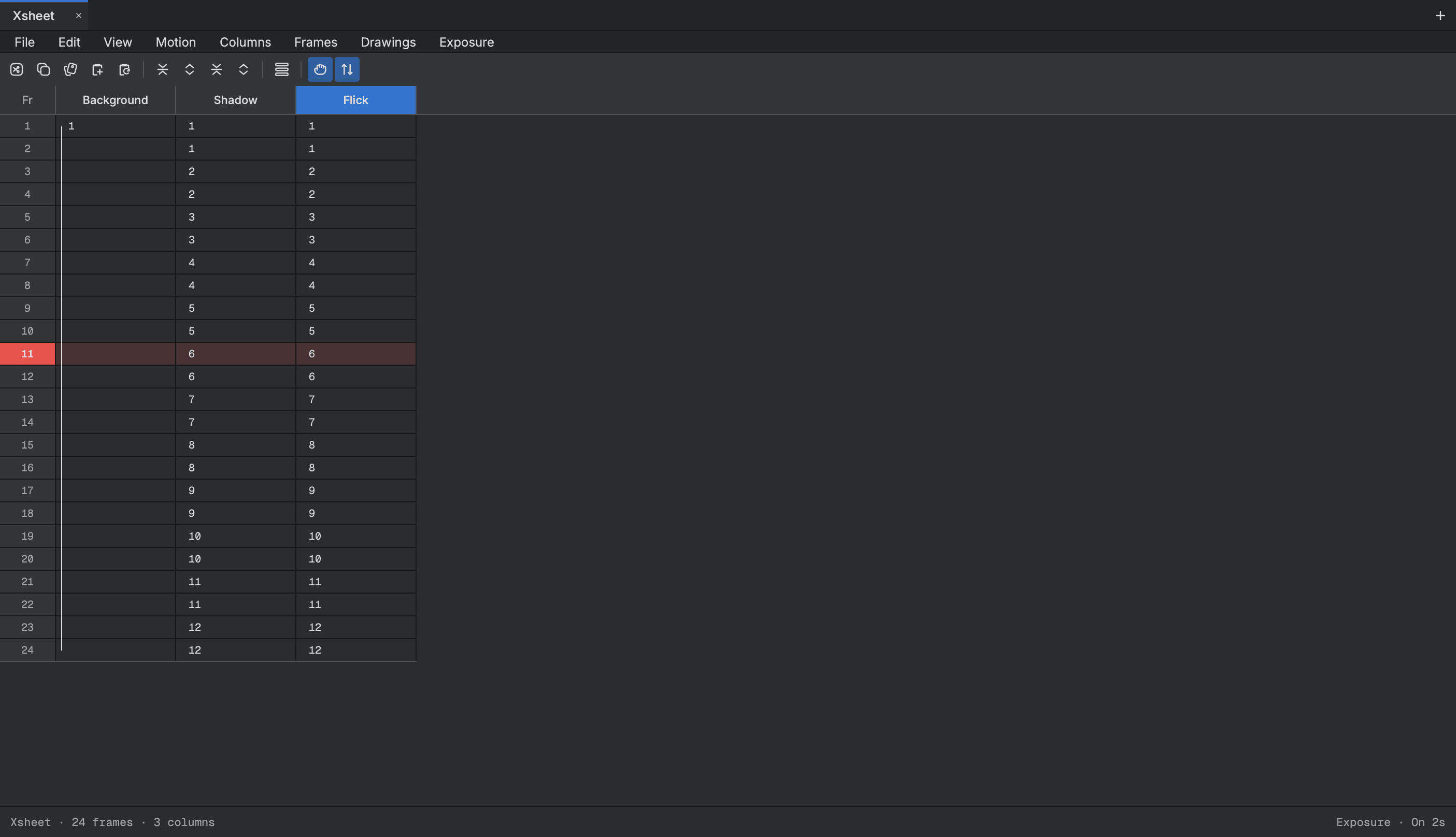
On twos, in the Xsheet

Every drawing is held for two frames: drawing 1 on frames 1 and 2, drawing 2 on frames 3 and 4, through drawing 12 on frames 23 and 24, with the shadow drawn to match.

The Xsheet with a column for each layer and the flame's drawings exposed on twos down 24 frames

Step 4

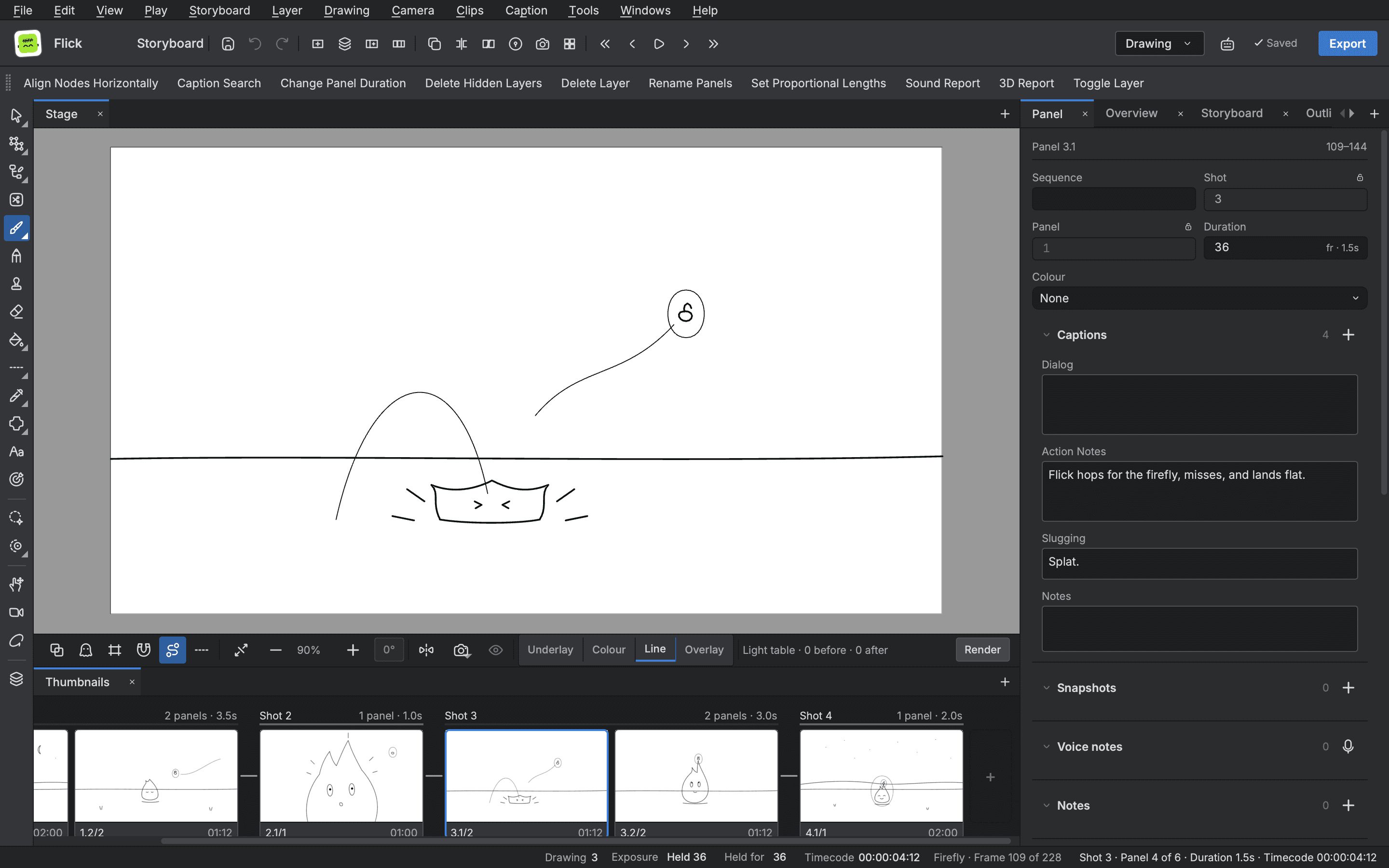
The storyboard

A rough board of four shots and six panels plans the scene. Each panel carries its duration and its captions; the third shot's action note reads “Flick hops for the firefly, misses, and lands flat.”

The storyboard window: a rough panel of the flame's hop on the stage, the panel's shot, duration and action notes at the right and the shots' panels along the Thumbnails row

Full body rig

Juno

Made for this site

A bike courier walking in place. A cut out rig of 24 pegs with live IK on both legs, cutters at the knees and elbows, a curve deformer on the scarf tail, and drawing swaps for the hands and feet.

Cycle
24 frames, 1 second
Frame rate
24 fps
Rig
24 pegs, 62 nodes
Legs
Live IK, a cutter at each knee
Arms
Shoulder, elbow and wrist pegs, a cutter at each elbow
Scarf
An offset and two curves on a deformer

Breakdown

How it was built

One editor view at a time.

Step 1

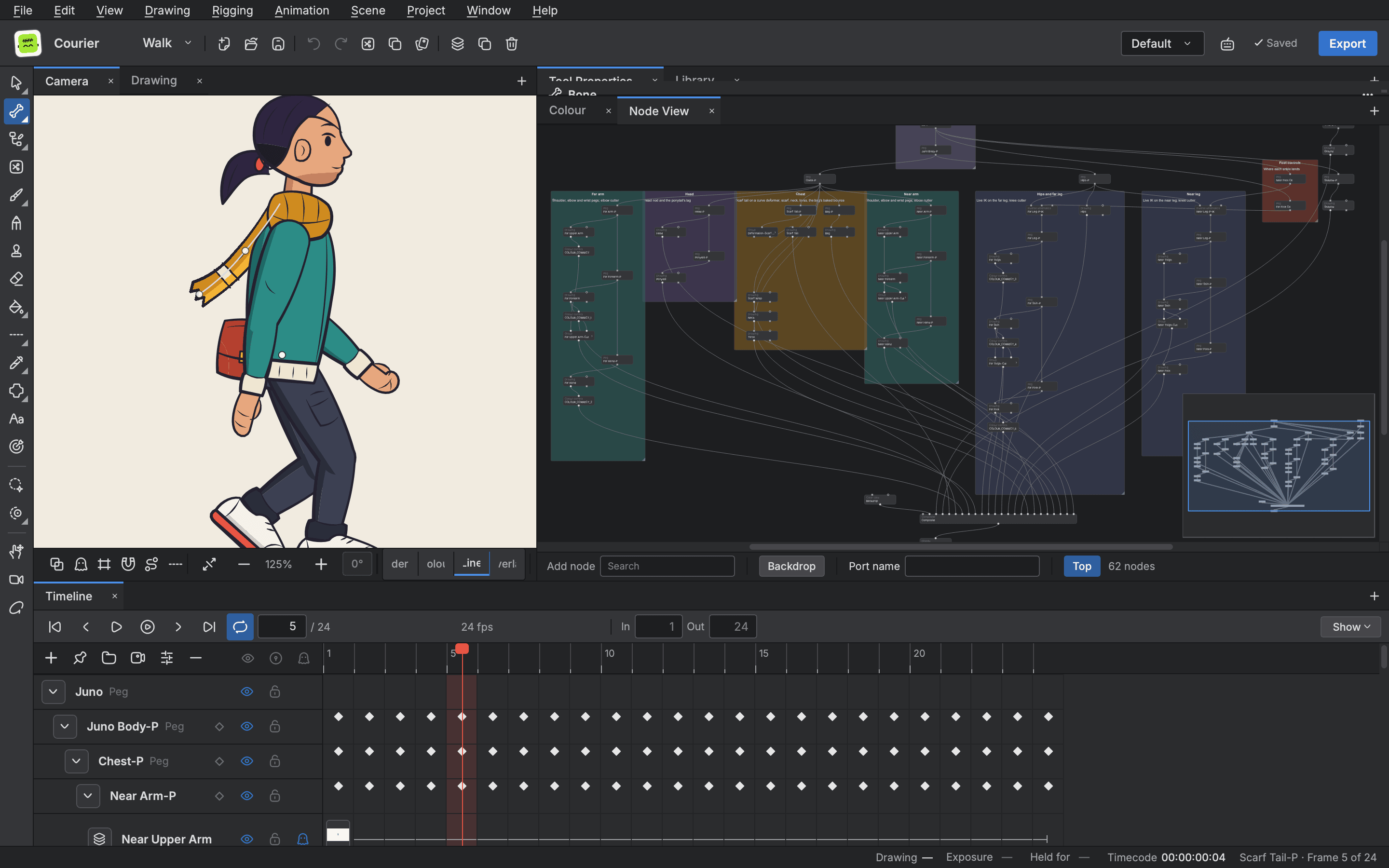
The rig, in the Node view

Sixty two nodes, grouped in labelled backdrops: the travel peg and the body's bob, the head, the chest, each arm with its shoulder, elbow and wrist pegs and an elbow cutter, each leg on live IK with a knee cutter, and the foot controls.

The Node view of a full body rig, 62 nodes in labelled backdrops for the travel peg, the head, the chest, each arm, each leg on IK and the foot controls

Step 2

The scarf, on a deformer

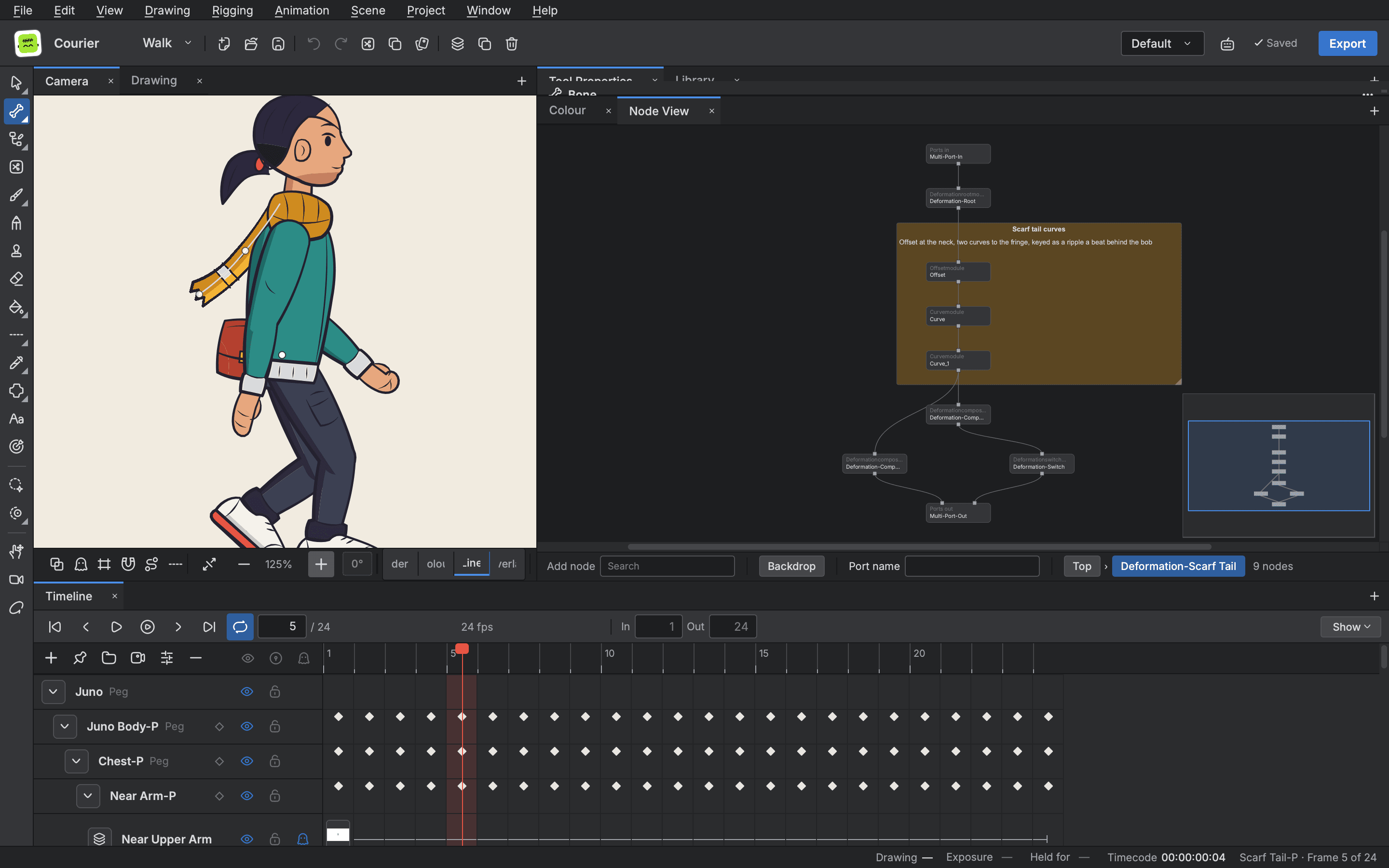
The scarf tail hangs on a deformation chain: an offset at the neck and two curves to the fringe, keyed as a ripple a beat behind the bob. The Rigging tool shows the chain on the stage beside its nodes.

The Rigging tool on a courier's scarf, its deformer drawn on the stage beside the scarf's chain of offset and curve nodes in the Node view

Step 3

The arm, as a curve

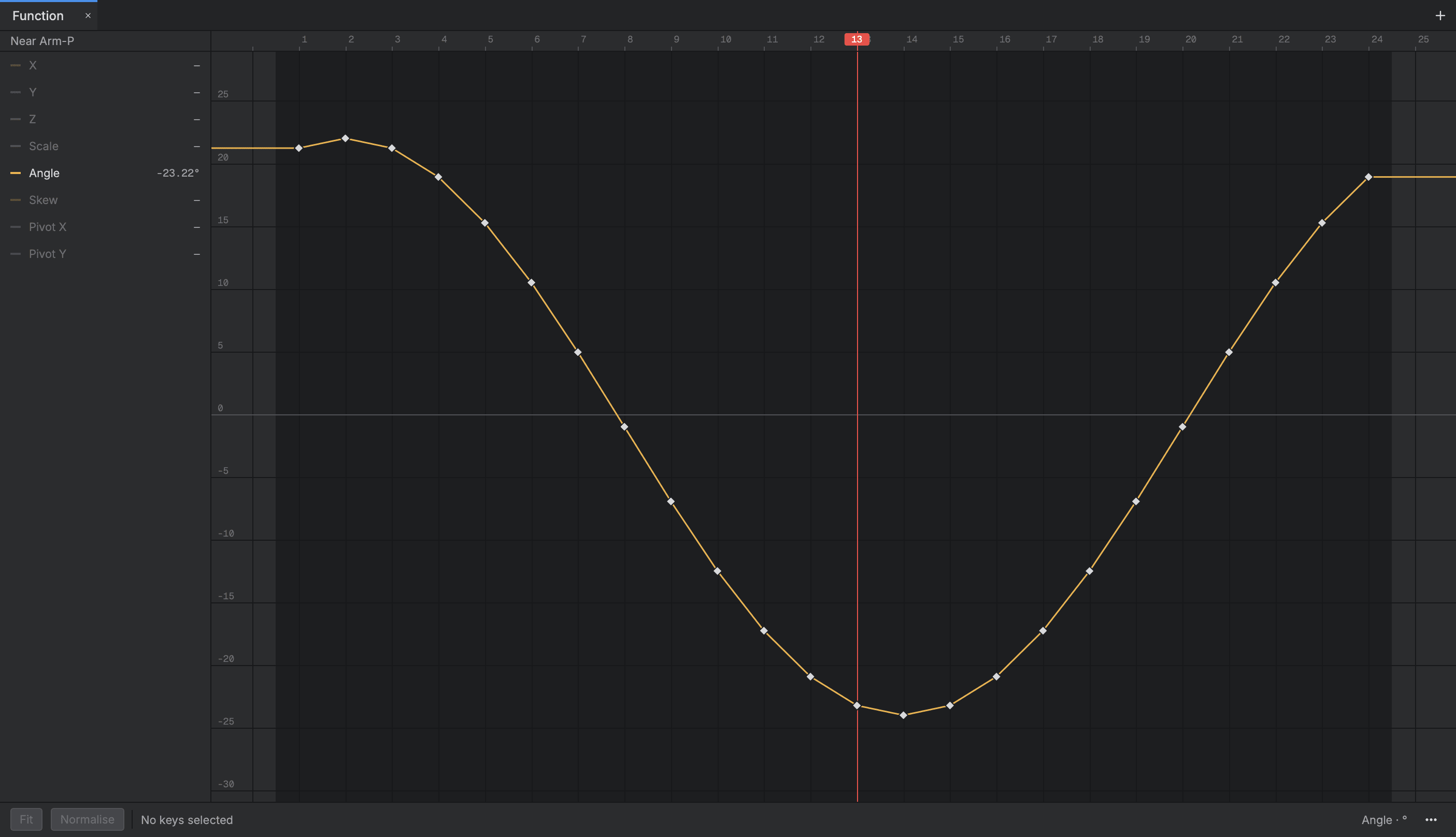
The Function view draws the near arm peg's angle across the cycle's 24 frames as one smooth swing, with a key on every frame.

The Function view drawing the near arm peg's angle across 24 frames as one swing, with a key on every frame

Step 4

Posing on the Timeline

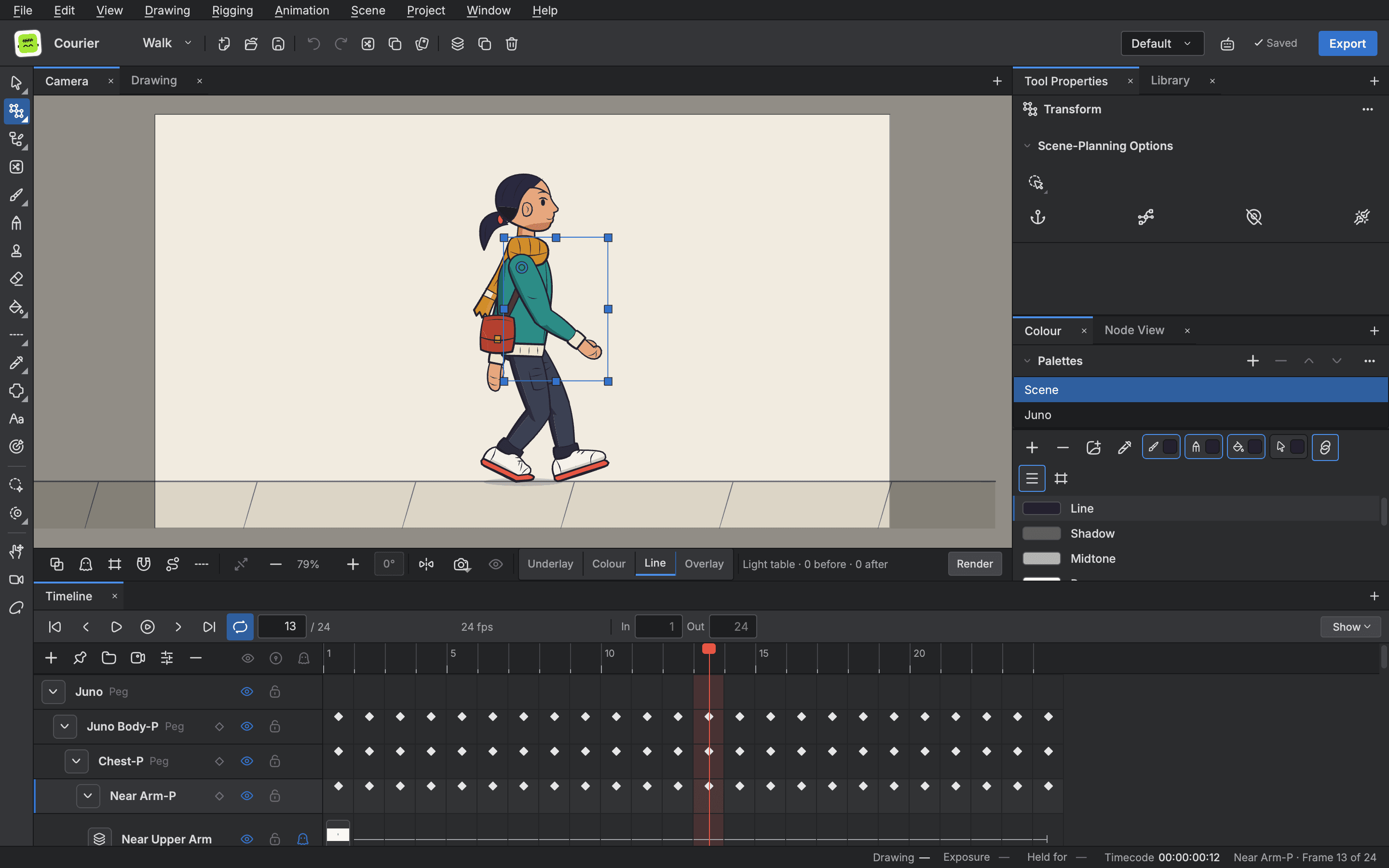
Every peg is keyed along the Timeline, and the hand swaps between its drawings as the arm swings.

The editor with the courier's near arm selected by the Transform tool, and the arm's pegs keyed on every frame of the Timeline

Sample art

Sample character loop

Made for this site

A round character with a sprout hops, squashes on landing, waves and blinks, in a two second loop. It is sample art made for this site, so you can see how a piece is built in Buhayin from rig to export.

Length
48 frames, 2 seconds
Frame rate
24 fps
Drawings
10 parts, each in its own layer
Rig
A peg for every part, 27 nodes
Export
MP4, H.264, 1920 × 1080
Made on
One computer, nothing uploaded
  • The character standing at restRest
  • The character at the top of its hop, stretched tallHop
  • The character squashed wide on landingLanding
  • The character waving one armWave

Breakdown

How it was built

One editor view at a time.

Step 1

The rig, in the Node view

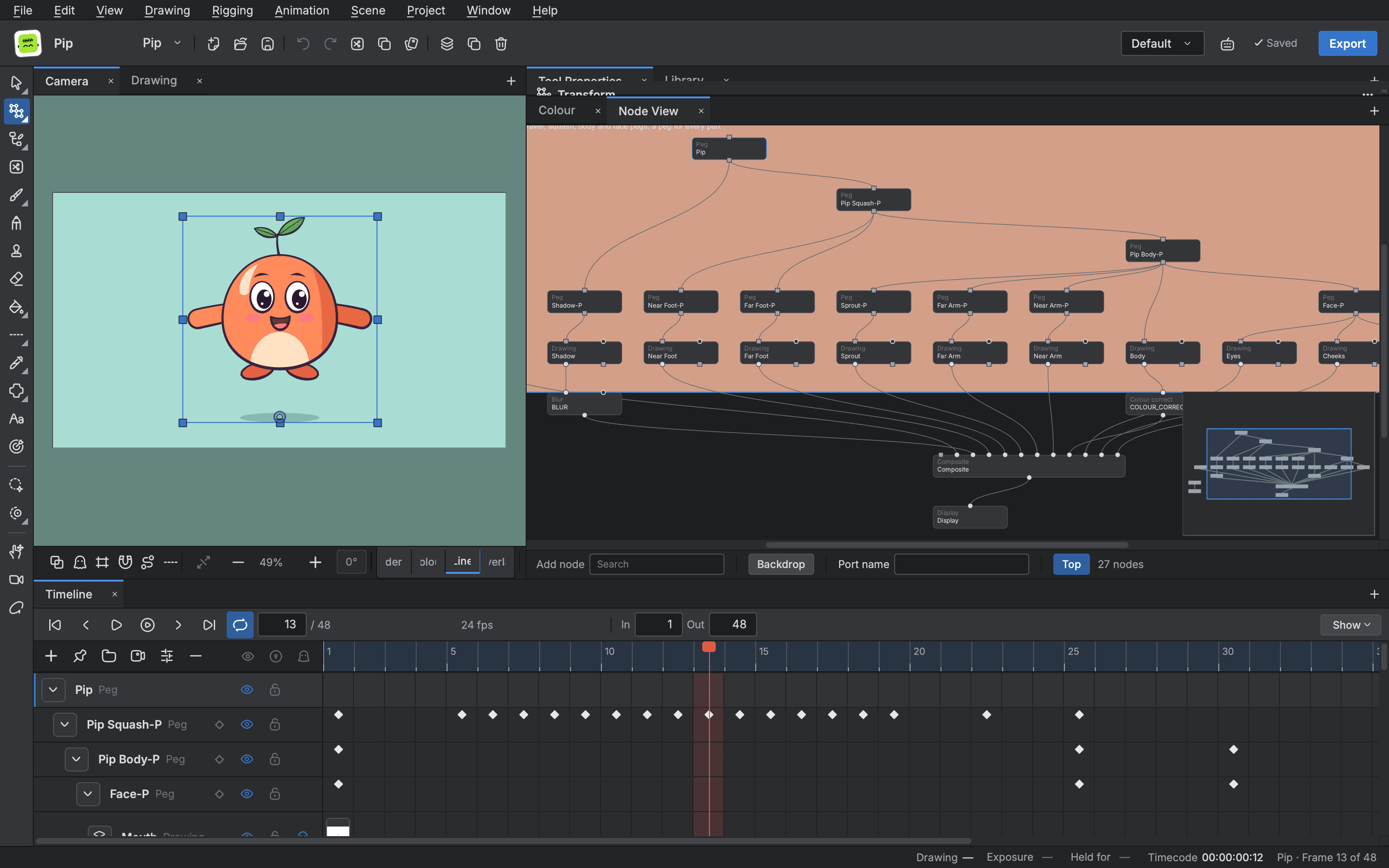
The character is one rig. A peg sits over every part: travel, squash, body and face, with a drawing under each peg for the body, the arms, the feet, the sprout, the shadow, the eyes, the cheeks and the mouth. The pegs feed a composite and a display, and the camera has its own peg.

The Node view showing the character's rig: pegs over every part, drawings under them, a composite and a display

Step 2

The motion, on the Timeline

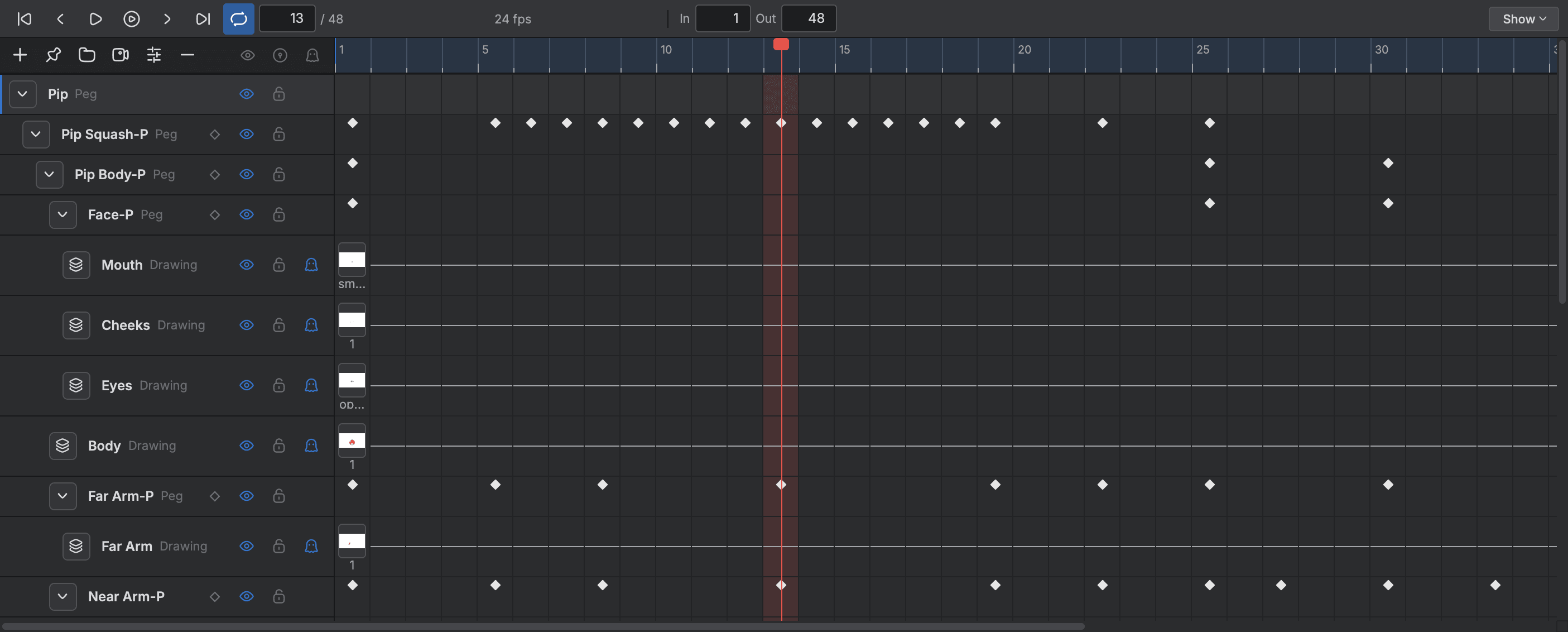
The hop and the wave are keys on the pegs, not new drawings. The Timeline lists the peg hierarchy with a diamond for every key, so the squash on landing and the arm swing are read straight off it. The mouth and eyes swap drawings on their own rows.

The Timeline listing the character's pegs and drawings with keys across 48 frames

Step 3

The timing, in the Xsheet

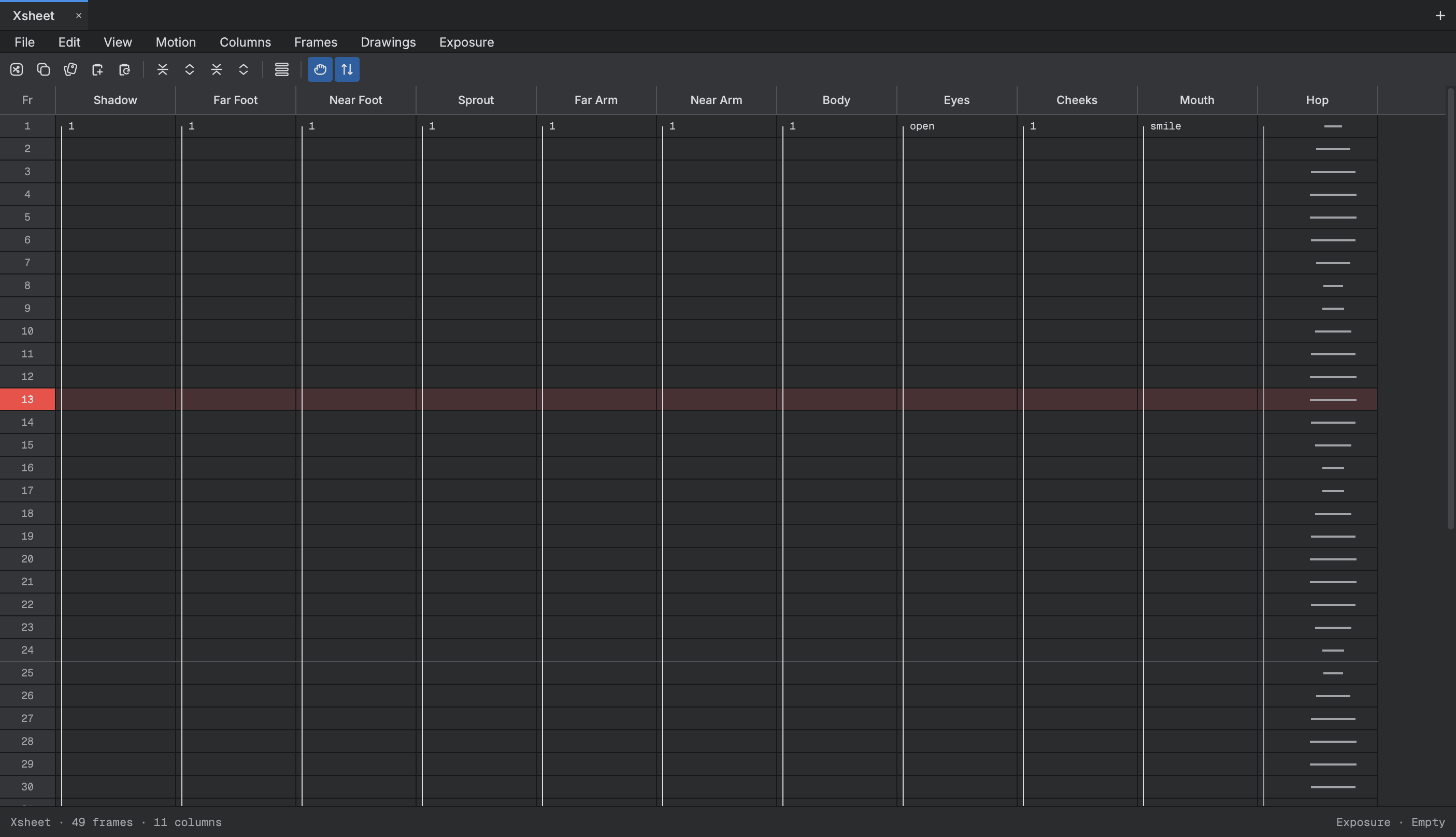
Each part is a column. The eyes hold open, close for a blink and open again, and the Xsheet shows exactly which drawing is on which frame.

The Xsheet with a column for each part and the eyes' blink drawings down the frames

Step 4

The export

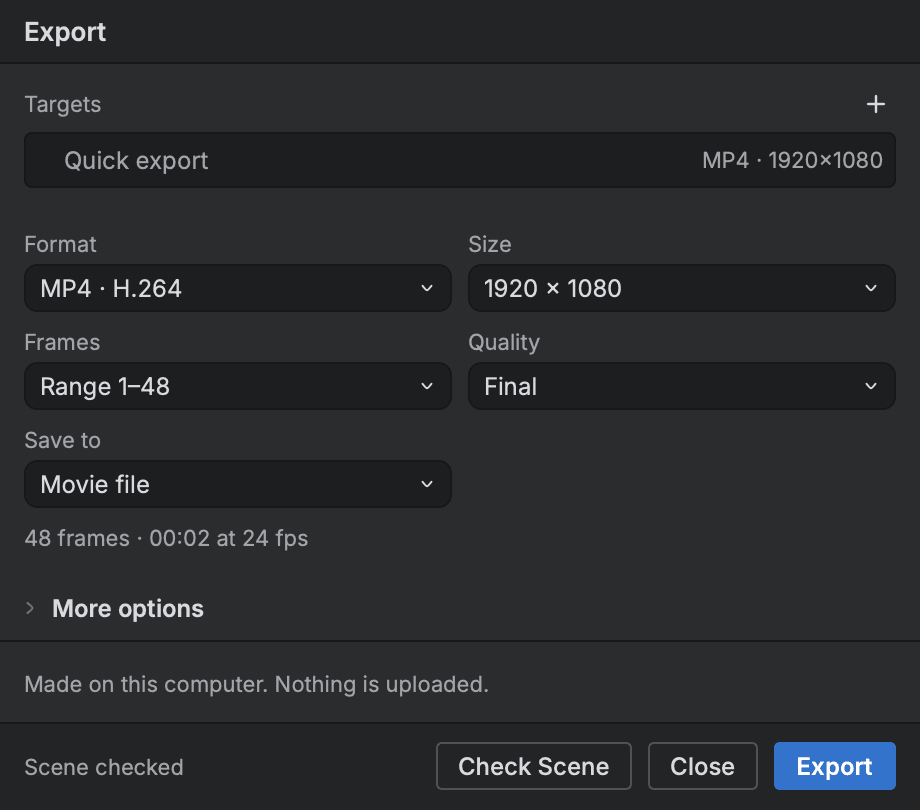
The Export panel writes the loop as an MP4 at 1920 × 1080, frames 1 to 48, from all 21 layers of the scene. Check scene runs first, and the file is made on the computer.

The Export panel set to MP4 at 1920 by 1080, range 1 to 48, over the editor

Start animating in Buhayin.

The editor is free for everyone, with every drawing, animation and export tool included.

macOS 14.2 or later, on Apple silicon