
Animate
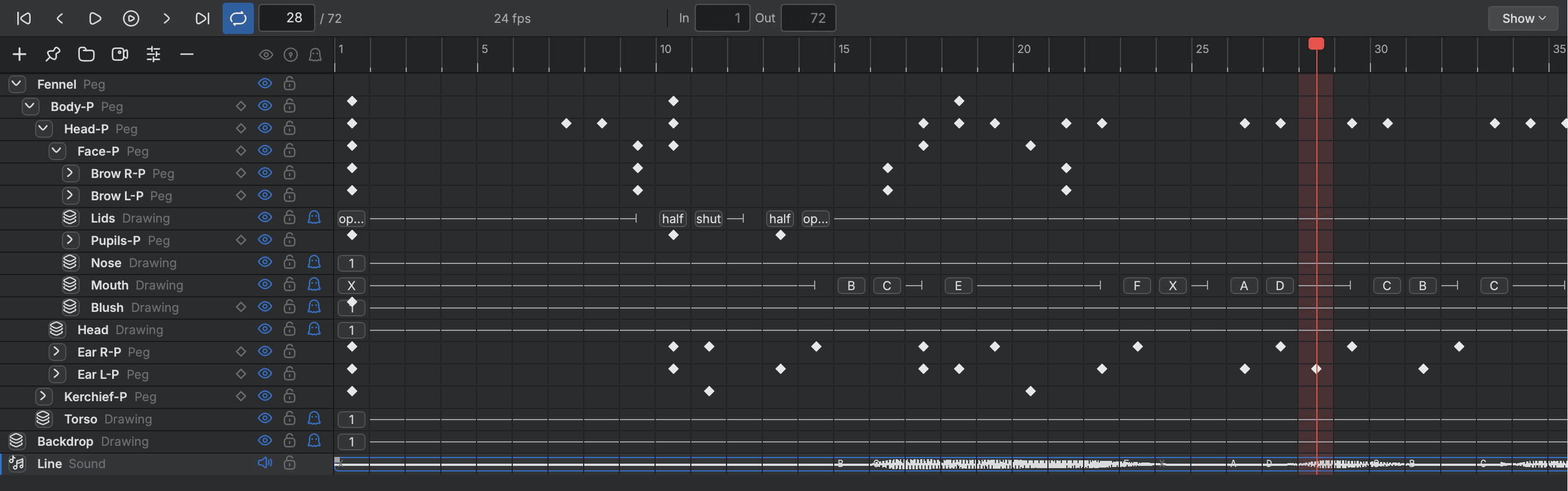
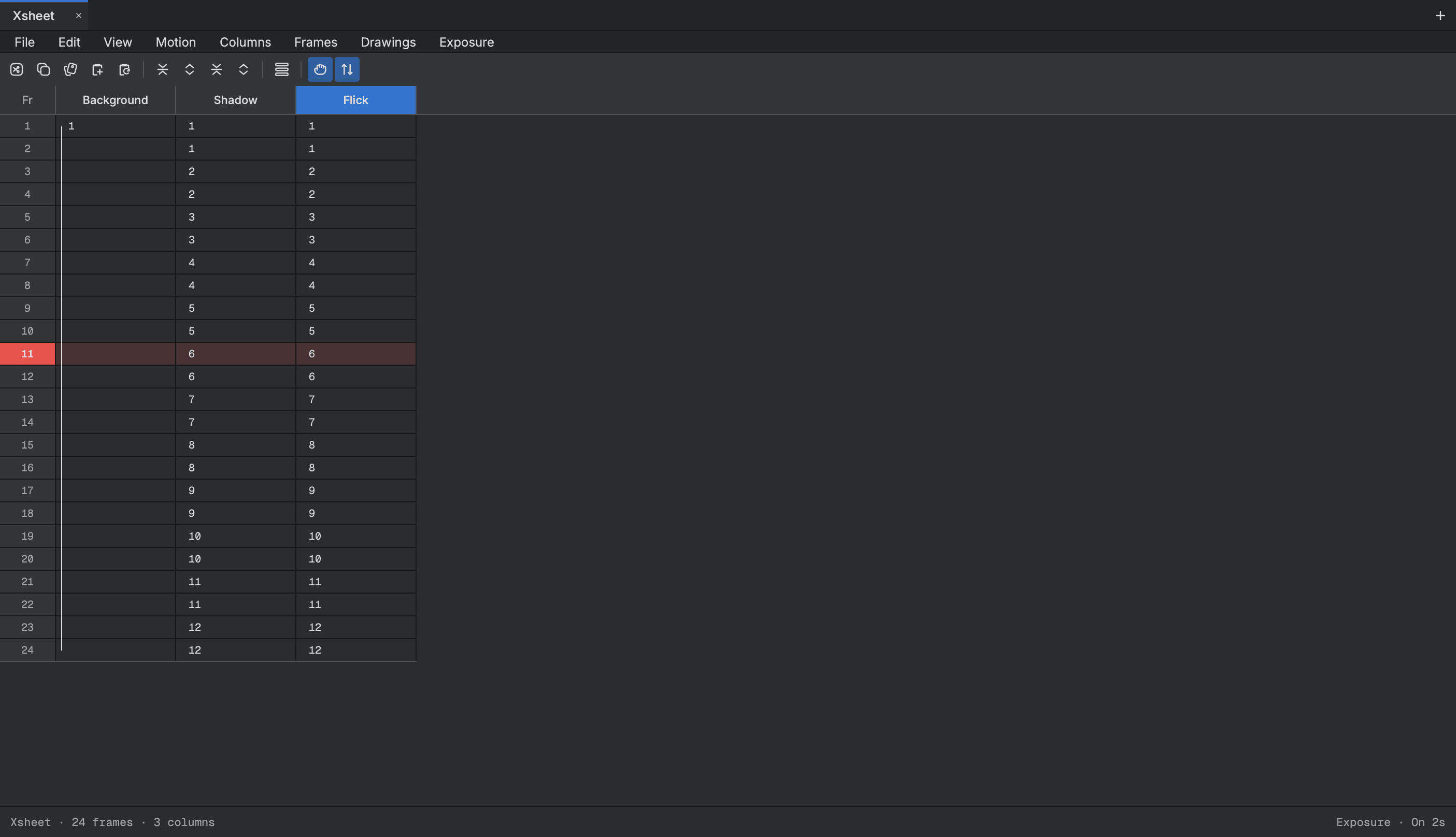
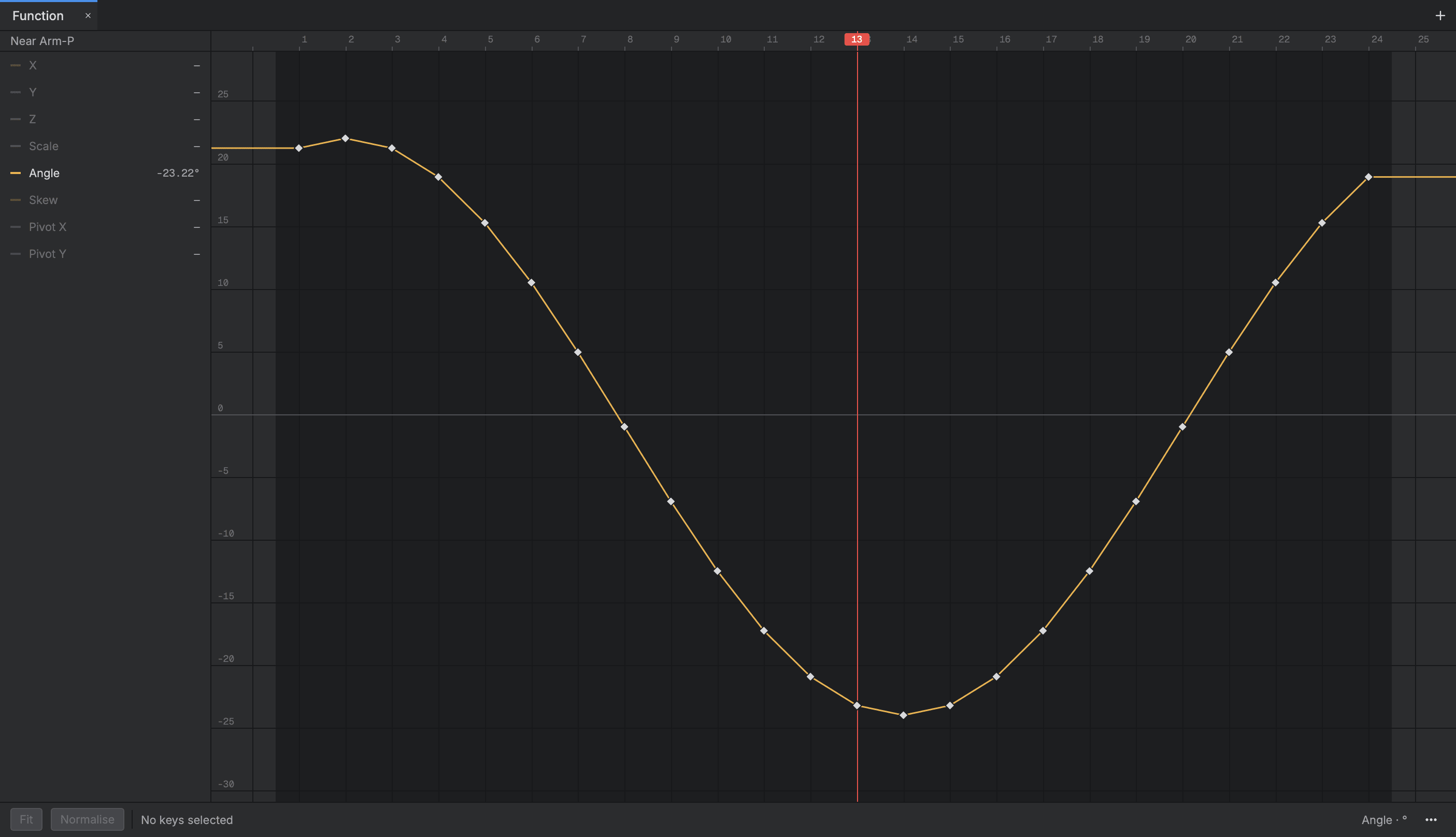
The Timeline shows every layer as a row and every frame as a cell, and the Xsheet shows the same timing on the traditional exposure sheet. Edit in either, shape your motion as curves in the Function view, and check the result in a player window.
- Timeline and Xsheet
- Curves with easing
- Morphing between drawings
- Sound locked playback
Timing
- Timeline
- Every layer is a row and every frame a cell, with drawings, holds and keys you drag into place.
- Xsheet
- Time on the exposure sheet: type a drawing's name in a cell and press Enter.
- Exposure commands
- Extend, hold, insert blanks or clear exposure on the cells you select.
Keys and curves
- Function view
- Shape motion as curves with Bezier handles, one for each channel such as X, Y and Angle.
- Set Ease
- Ease keys in and out by a per cent, on one parameter or many at once.
- Morphing
- Morph one drawing into the next, and steer it with key drawings.
Playback
- Playback bar and player window
- Play the shot in a loop, or in a full screen player to check it as delivered.
- Sound locked playback
- The picture follows the sound, and a late frame is dropped instead of slowing the shot.
Start animating in Buhayin.
The editor is free for everyone, with every drawing, animation and export tool included.
macOS 14.2 or later, on Apple silicon