
Colour
A scene keeps its colours in palettes, so repainting a character means changing a colour, not redrawing a line. The Colour view lists the palettes, sets the four colours your tools draw in and opens an editor for any colour.
- Named palettes
- Palette library
- Gradient colours
- Tint many colours
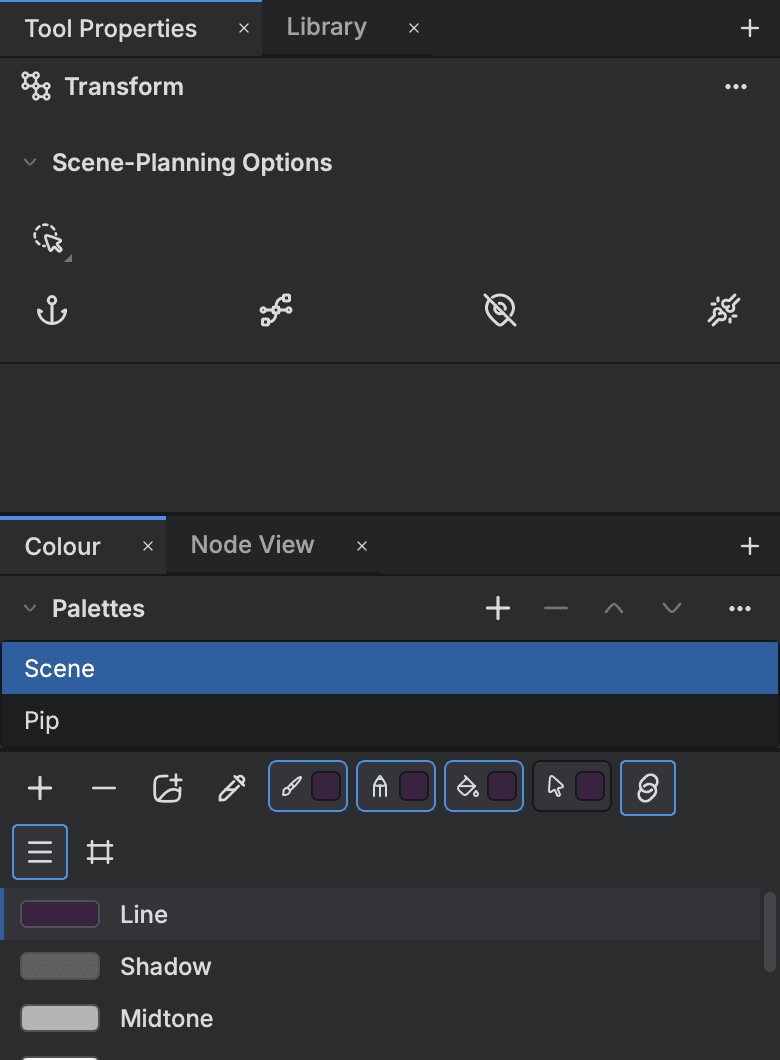
Palettes
- Palette Manager
- Keep a scene's colours in named palettes, and repaint a character by changing a colour, not a line.
- Clone
- Make a palette that follows the original, so one change reaches both.
- Palette library
- Save a palette once and bring it into any scene.
Colours and the editor
- Colour picker
- Set a colour by HSV or RGB, a hue wheel, a hex code or a screen picker, with opacity.
- Gradient colours
- Build a gradient from stops on a bar, as many as eight.
Changing many colours at once
- Tint
- Shift many colours at once, live, in Offset, Blend or Mixer mode.
- Recolour Mapping
- Swap a set of colours across the cells you select in one undo step.
Start animating in Buhayin.
The editor is free for everyone, with every drawing, animation and export tool included.
macOS 14.2 or later, on Apple silicon