
Compose
A scene is a graph of nodes joined by cables, and the node view shows it as it is stored. Layers, effects, mattes and the camera all hang on that one graph, so you can see how a frame is built.
- A scene as a node graph
- Effects and blend modes
- Mattes from your lines
- Groups to stay tidy
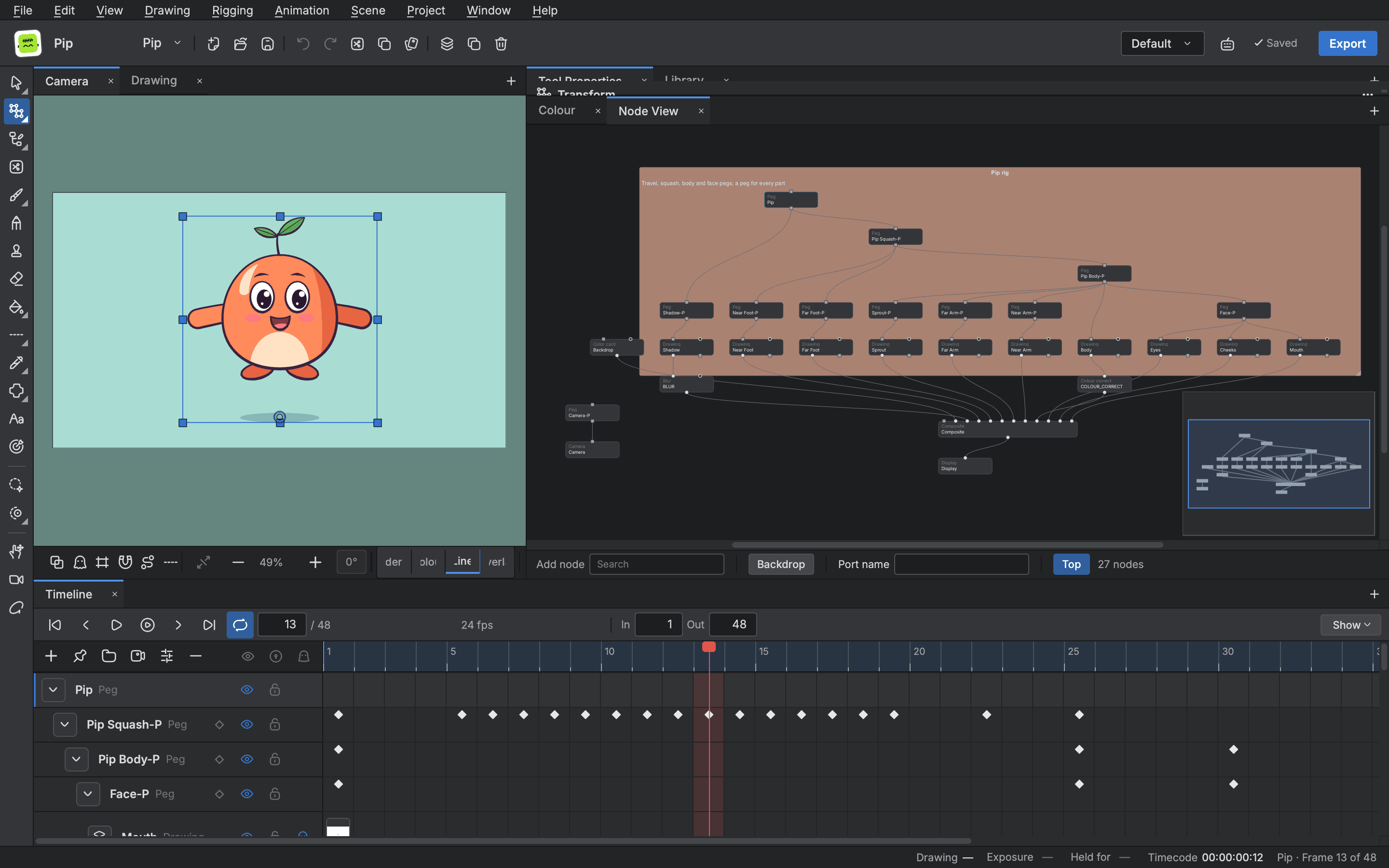
The node view
- Typed ports and cables
- Matrices, pictures and mattes have their own ports, so a wrong join is easy to see.
- Groups and notes
- Group nodes, enter a group, and label areas of the graph with backdrops and notes.
- Composite and display
- Lay pictures together in a composite, and send the result to the display or to a Write node for export.
Effects and blends
- Blur and focus effects
- Blur, directional, radial and zoom blurs, with a matte where one is useful.
- Light and shadow
- Glow, drop shadow, bloom, backlight and more for the finish of a shot.
- 26 blend modes
- Set how a picture lays on what is below, from Multiply and Screen to Colour Dodge.
Mattes and passes
- Mattes and cutting
- Cut a picture by a matte made from one drawing or several, inverted when you want what is outside.
Start animating in Buhayin.
The editor is free for everyone, with every drawing, animation and export tool included.
macOS 14.2 or later, on Apple silicon